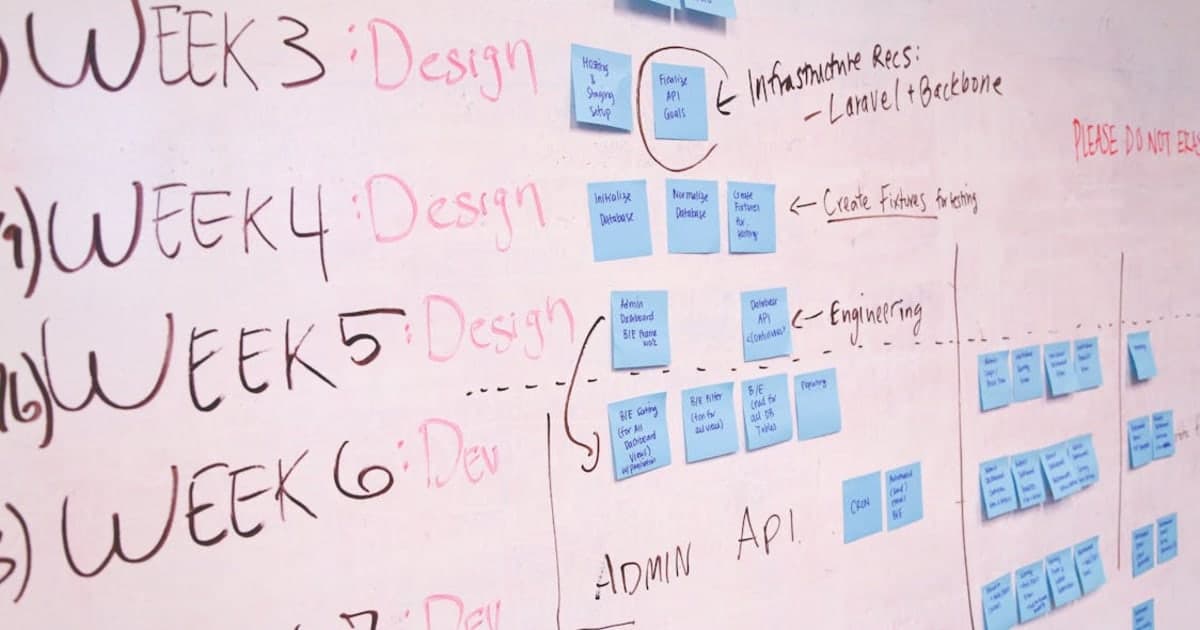
How to Build an MVP Website for Your Startup
TL;DR: An MVP (Minimum Viable Product) website is the fastest way to validate your startup idea without burning through your budget. Focus on 4-5 core features, use a modern stack like Next.js + MongoDB + Vercel, and launch in 2-4 weeks for Rs 20,000-80,000 with a freelancer. According to CB Insights, 35% of startups fail because there is no market need — an MVP helps you test demand before building the full product.
What is an MVP Website?
An MVP website is a stripped-down version of your product that includes only the features needed to solve one core problem for your users. It is not a prototype, not a wireframe, and not a half-finished product. It is a working website that real users can use, give feedback on, and pay for.
The concept comes from Eric Ries' Lean Startup methodology — build the smallest thing that lets you learn whether customers actually want what you are building. According to Failory, 90% of startups fail, and the ones that survive almost always started with a focused MVP before scaling.
The goal is simple: launch fast, learn fast, iterate fast.
Why You Should Build an MVP First
Most first-time founders make the same mistake — they spend 6 months and Rs 5,00,000+ building a full product, only to discover nobody wants it. An MVP prevents this.
| Approach | Timeline | Cost | Risk |
|---|---|---|---|
| Full product first | 4-6 months | Rs 3,00,000 - 10,00,000+ | High — no validation |
| MVP first | 2-4 weeks | Rs 20,000 - 80,000 | Low — test before scaling |
| No-code MVP | 1-2 weeks | Rs 5,000 - 20,000 | Low — but limited scalability |
An MVP saves you 70-80% of your initial budget. If the idea works, you invest more. If it does not, you pivot early without major losses. This is exactly what companies like Airbnb, Dropbox, and Buffer did — they all started with simple MVPs before building their full platforms.
If you are not sure how much a full website costs in India, check our detailed pricing breakdown first.
MVP Features Checklist: What to Include vs Skip
This is where most founders go wrong. They try to include everything in version 1. Here is a practical checklist:
Include in Your MVP
| Feature | Why It Matters | Example |
|---|---|---|
| Landing page | First impression, explains what you do | Hero section + value proposition |
| Core functionality | The one thing your product does | Booking form, listing page, search |
| User authentication | Let users create accounts | Email/password or Google login |
| Payment integration | Start collecting revenue | Razorpay, Stripe, or PayU |
| Contact/feedback form | Collect user feedback early | Simple form with email notification |
| Mobile responsive design | 60%+ traffic is mobile | Responsive layout, touch-friendly |
| Basic SEO setup | Get found on Google from day one | Meta tags, sitemap, structured data |
Skip for Now (Add Later)
| Feature | Why Skip It | When to Add |
|---|---|---|
| Admin dashboard | You can manage data directly in DB | After 50+ entries to manage |
| Multi-language support | Adds complexity, delays launch | After you have international users |
| Push notifications | Nice-to-have, not essential | After 1000+ active users |
| Advanced analytics | Basic GA4 is enough initially | After product-market fit |
| Social media login | Email login works fine | After user feedback requests it |
| Chat support | Email support is enough for MVP | After 100+ daily active users |
The Best Tech Stack for an MVP Website
Your tech stack directly affects how fast you can build, how much it costs, and how easily you can scale later. Here is what I recommend after building multiple startup MVPs:
| Layer | Technology | Why |
|---|---|---|
| Frontend | Next.js (React) | SSR for SEO, fast page loads, great developer experience |
| Styling | Tailwind CSS | Build UI 3x faster, no custom CSS files |
| Backend | Next.js API Routes | No separate backend server needed |
| Database | MongoDB Atlas | Free tier (512MB), flexible schema for rapid changes |
| Authentication | NextAuth.js | Google, GitHub, email login in minutes |
| Payments | Razorpay / Stripe | Easy integration, handles Indian + international payments |
| Hosting | Vercel | Free tier handles most MVPs, auto-deploys from Git |
| File Storage | Cloudinary | Free tier (25GB), image optimization built-in |
This stack lets you go from idea to deployed product in 2-4 weeks. The free tiers of MongoDB Atlas, Vercel, and Cloudinary mean your hosting cost is Rs 0 for the first few months. Learn more about why Next.js is the best choice for business websites.
Cost Breakdown of This Stack
| Item | Monthly Cost | Notes |
|---|---|---|
| Vercel hosting | Rs 0 | Free tier covers most MVPs |
| MongoDB Atlas | Rs 0 | Free tier (512MB storage) |
| Domain (.com) | Rs 75/month | ~Rs 900/year |
| Cloudinary | Rs 0 | Free tier (25GB bandwidth) |
| Email (Google Workspace) | Rs 136/month | Professional email |
| Total | ~Rs 211/month | vs Rs 2,000-5,000 for traditional hosting |
Step-by-Step: Building Your MVP in 2-4 Weeks
Here is the exact process I follow when building MVPs for startup clients:
Week 1: Discovery + Design
- Day 1-2: Understand the problem, target audience, and core feature
- Day 3-4: Design wireframes (I use Figma — free for individual use)
- Day 5: Finalize scope — what is in v1, what is in v2
- Deliverable: Approved wireframe + feature list
Week 2: Core Development
- Set up Next.js project with Tailwind CSS
- Build landing page with hero, features, and CTA sections
- Implement core functionality (the main thing your product does)
- Connect MongoDB for data storage
// Example: Setting up a Next.js API route for your MVP
// src/app/api/waitlist/route.ts

import { NextRequest, NextResponse } from "next/server";
import connectDB from "@/lib/db";
import Waitlist from "@/models/waitlist";

export async function POST(req: NextRequest) {
  await connectDB();
  const { email, name } = await req.json();

  // Validate input
  if (!email || !name) {
    return NextResponse.json(
      { error: "Name and email are required" },
      { status: 400 }
    );
  }

  // Check for duplicates
  const existing = await Waitlist.findOne({ email });
  if (existing) {
    return NextResponse.json(
      { error: "Already on the waitlist" },
      { status: 409 }
    );
  }

  await Waitlist.create({ email, name, joinedAt: new Date() });

  return NextResponse.json(
    { message: "Added to waitlist!" },
    { status: 201 }
  );
}
Week 3: Auth + Payments + Polish
- Add user authentication (NextAuth.js with Google + email)
- Integrate payment gateway (Razorpay for India, Stripe for international)
- Mobile responsive testing
- Set up analytics and ad tracking (GA4, Meta Pixel)
Week 4: Testing + Launch
- Bug fixes and edge case handling
- SEO setup — meta tags, Open Graph, sitemap, robots.txt
- Deploy to Vercel (connect GitHub repo, auto-deploy on push)
- Set up Google Search Console and submit sitemap
- Launch day: Share on Product Hunt, LinkedIn, Twitter, relevant communities
How Much Does an MVP Website Cost?
The cost depends on who builds it and what features you need:
| Builder | Cost Range | Timeline | Best For |
|---|---|---|---|
| You (no-code tools) | Rs 0 - 10,000 | 1-2 weeks | Validating idea before hiring a developer |
| Freelance developer | Rs 20,000 - 80,000 | 2-4 weeks | Most startups — best value for money |
| Development agency | Rs 1,00,000 - 5,00,000 | 4-8 weeks | Funded startups with complex requirements |
| In-house developer | Rs 40,000 - 1,00,000/month | Ongoing | Post-MVP, when you need continuous iteration |
For most bootstrapped startups, a freelancer is the best option. You get direct communication, faster delivery, and 50-70% lower costs compared to agencies. I have written about my complete process for building client websites if you want to understand what working with a freelancer looks like.
Common MVP Mistakes to Avoid
| Mistake | Why It Hurts | What to Do Instead |
|---|---|---|
| Building too many features | Delays launch by months | Pick 3-5 core features only |
| Skipping mobile design | 60%+ users are on mobile | Design mobile-first |
| No analytics from day one | You cannot improve what you do not measure | Set up GA4 before launch |
| Choosing complex tech stack | Slower development, higher cost | Use proven stack (Next.js + MongoDB) |
| Not collecting user feedback | You build what YOU want, not what users need | Add feedback form, talk to users weekly |
| Perfectionism | "Version 1 is never good enough" | Ship imperfect, iterate with data |
| No SEO setup | Zero organic traffic for months | Basic SEO takes 2 hours, do it at launch |
If you are building your first startup website, read our guide on the 5 things every founder should know before starting.
When to Scale Beyond MVP
Your MVP is working when you see these signals:
- Users are returning — not just signing up, but coming back
- People are paying — even small amounts validate demand
- You are getting feature requests — users want more, not less
- Organic traffic is growing — people are finding you on Google
- Manual processes are breaking — you need automation because of volume
Once you hit these milestones, it is time to invest in a full product — admin dashboards, advanced features, and scaling infrastructure. But not before. The MVP did its job: it proved the idea works.
FAQ
How long does it take to build an MVP website?
A focused MVP website takes 2-4 weeks with a single developer. This includes a landing page, one core feature, user authentication, and payment integration. If you use no-code tools like Webflow or Carrd, you can launch a basic landing page MVP in 3-5 days, but with limited customization and scalability.
How much does an MVP website cost in India?
An MVP website in India costs Rs 20,000-80,000 when built by a freelance developer, or Rs 1,00,000-5,00,000 from an agency. The cost depends on feature complexity, payment integration needs, and design requirements. Using free tiers of Vercel, MongoDB Atlas, and Cloudinary, your monthly hosting costs can be under Rs 500.
Should I use no-code tools or hire a developer for my MVP?
Use no-code tools (Webflow, Carrd, Bubble) if you want to test an idea in under a week with zero budget. Hire a developer if you need custom functionality, payment processing, user accounts, or plan to scale the product. No-code MVPs are great for validation but become limiting when you need custom features or handle more than a few hundred users.
What features should an MVP website have?
An MVP needs exactly 4-5 features: a landing page that explains your value proposition, one core functionality that solves the main problem, user authentication, a payment or signup flow, and a feedback mechanism. Everything else — admin panels, push notifications, social login, multi-language support — belongs in version 2.
Can I build an MVP website myself without coding experience?
Yes. Tools like Carrd (Rs 0-1,500/year), Webflow (free tier available), and Notion + Super.so let you build simple MVP websites without writing code. These work well for landing pages, waitlists, and content sites. For anything requiring custom logic, databases, or payment processing, you will need a developer or need to learn basic coding.
Resources
- The Lean Startup by Eric Ries — The book that popularized the MVP concept
- How to Build an MVP - Y Combinator — YC's perspective on what an MVP really means
- Next.js Documentation — Official docs for the recommended frontend framework
- MongoDB Atlas Free Tier — Free cloud database for MVP development
- Vercel Deployment Guide — Deploy your MVP for free with automatic CI/CD
- Razorpay Integration Docs — Payment gateway integration for Indian startups